Home › Platform › Candidate Pipeline
Platform · Screen & score

Every applicant, one glance - board or table, your call.

Applications land in a pipeline that is actually pleasant to work: a kanban board with drag-and-drop stages for visual thinkers, and a dense sortable table for volume days. Scores, statuses, notes and contact details are always one click away - and everything exports to CSV whenever your ATS needs it.

app.qwiza.ai
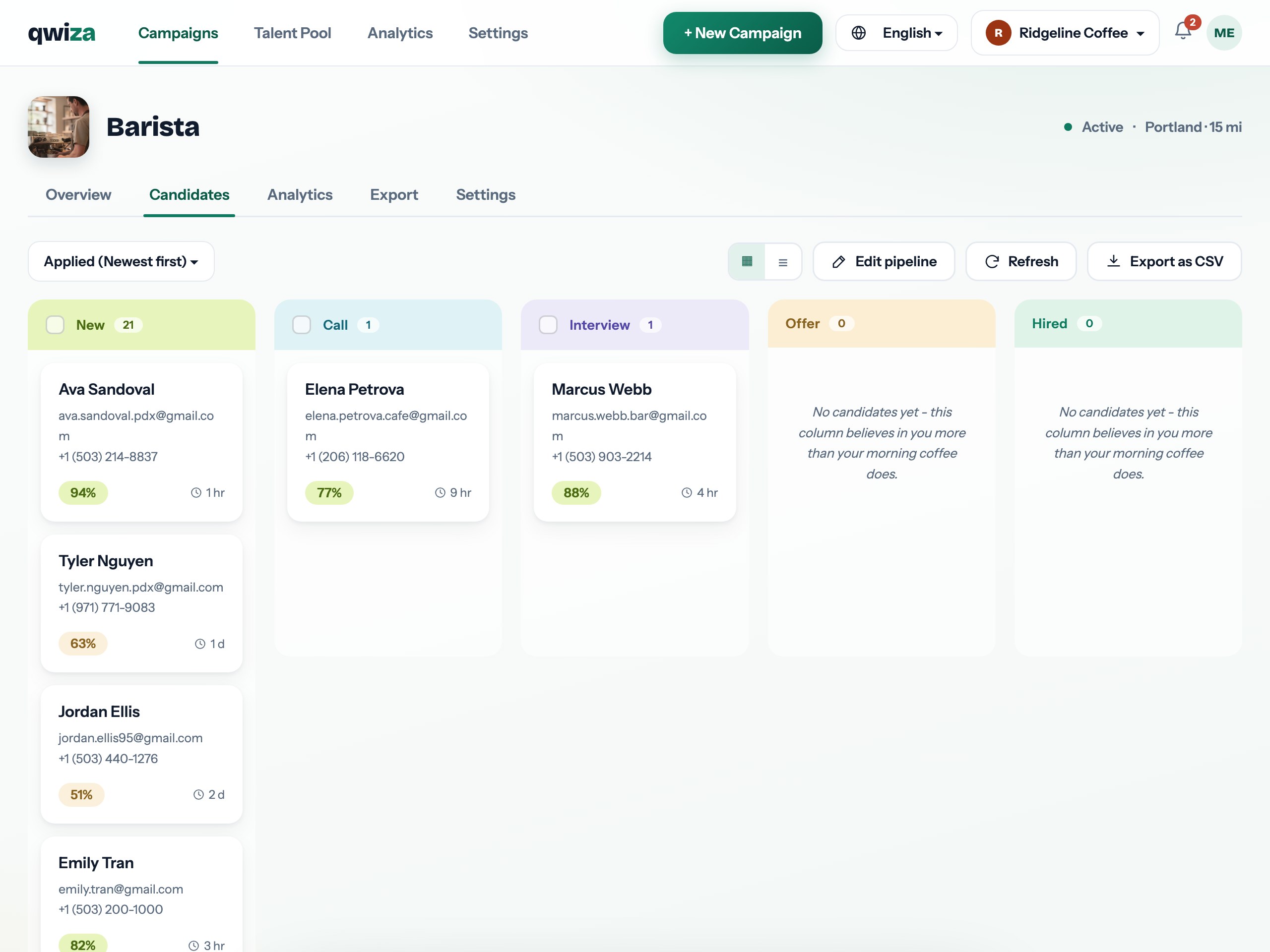
Kanban candidate pipeline in Qwiza
Kanban board with drag & dropSortable table view for volumeStages, notes and statusesOne-click CSV export
Candidate Pipeline

A board that mirrors how you actually hire

Applied, shortlisted, interview, offer, hired - move candidates between stages with a drag, and the counts per stage tell you instantly where the funnel is healthy and where it stalls. Each card shows the essentials: name, score, key signals and how long they have been waiting for your reply.

Prefer rows to cards? Flip to the table: sort by score, by application date or by status, filter to exactly the slice you need, and work through it top to bottom. Same data, two ways to see it.

  • Visual stages with live counts
  • Cards with score and waiting time
  • Sortable, filterable table view
  • Switch views without losing your place
app.qwiza.ai
A board that mirrors how you actually hire

See it live - no signup, no sales call

The interactive demo runs the real product across six industries. Two minutes tells you more than any page.

Open the live demo →
app.qwiza.ai
Profiles built for decisions
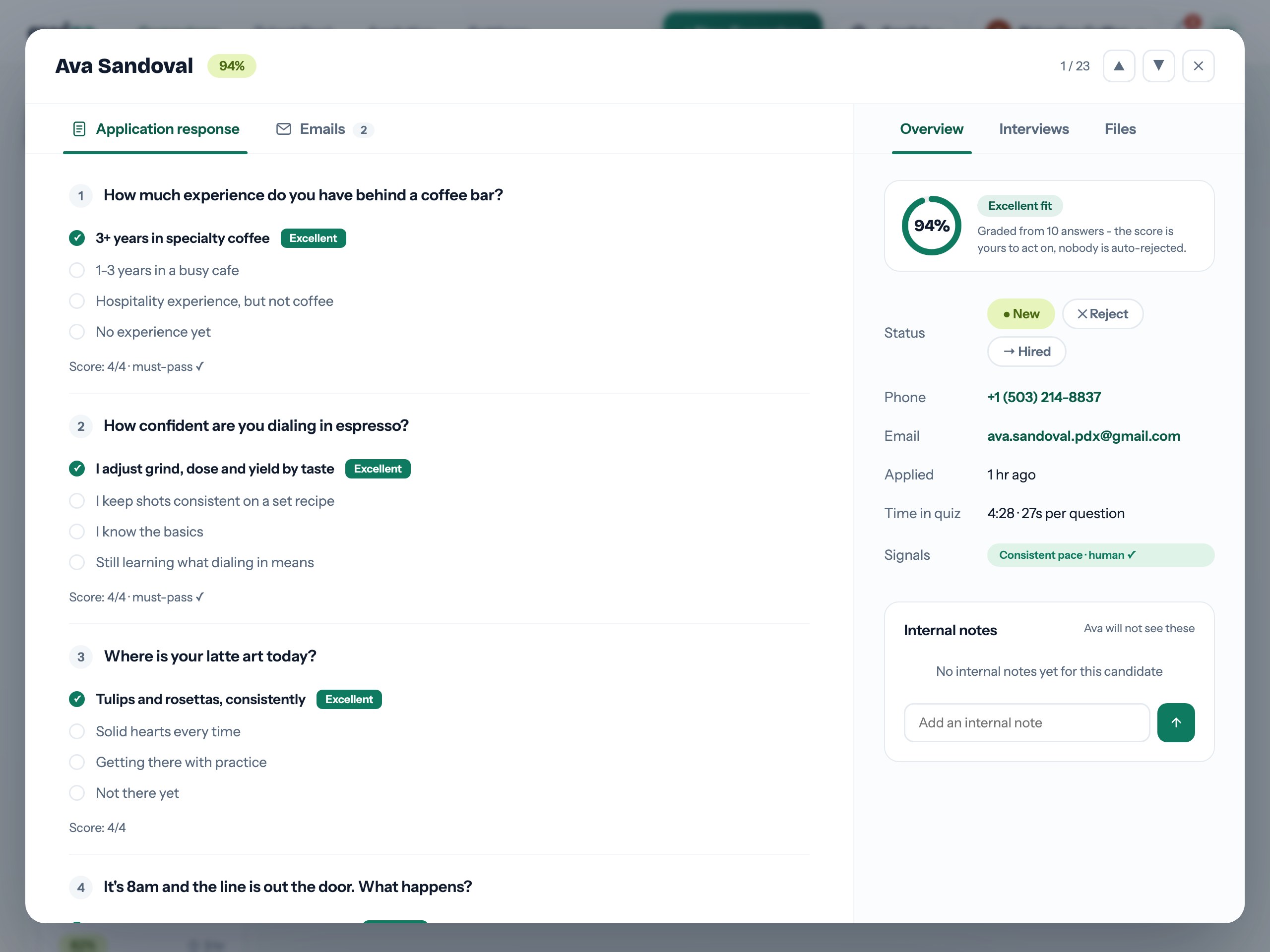
Candidate Pipeline

Profiles built for decisions

Click any candidate and the full picture opens: every quiz answer with its grade, the explained score, contact details, notes from your team, interviews on the timeline and every email exchanged - one scrollable record instead of five open tabs.

When it is time to sync with the rest of your stack, export any view to CSV in one click - clean columns, ready for your ATS or a spreadsheet. Candidate data stays yours, always.

  • Full profile: answers, score, notes, emails
  • Interview history on the profile
  • Internal notes visible to the whole team
  • CSV export of any filtered view

Works together with