Every day, dozens or hundreds of people stand inside your business, experience it at its best, and leave without ever learning you are hiring. Meanwhile you pay to reach strangers in feeds. The fix is printable: a small, well-made sign with a QR code that opens a two-minute application. Point-of-contact hiring is the cheapest channel most frontline employers never systematise.
- People who already visit your premises are pre-sold on the atmosphere - a QR code converts that warmth into applications the moment it strikes.
- The code must open a two-minute mobile application, not a careers page - every extra step between scan and done loses most scanners.
- Placement is a media plan: window, till, receipt, packaging, uniform, delivery vehicle - each with its own audience.
- Tag each placement's link so you learn which surfaces actually recruit.
Why the physically present applicant is gold
A scanner in your shop has done research no campaign can buy: they know the commute (they made it), the atmosphere (they are standing in it), the customers (they are one). Applications from this channel convert to interviews and hires at multiples of cold traffic, and the hires stay longer - expectation-reality gaps, the quiet killer behind early turnover, barely exist when the applicant chose you on first-hand experience. It is the same self-selection that makes referrals the best channel, minus the middleman.
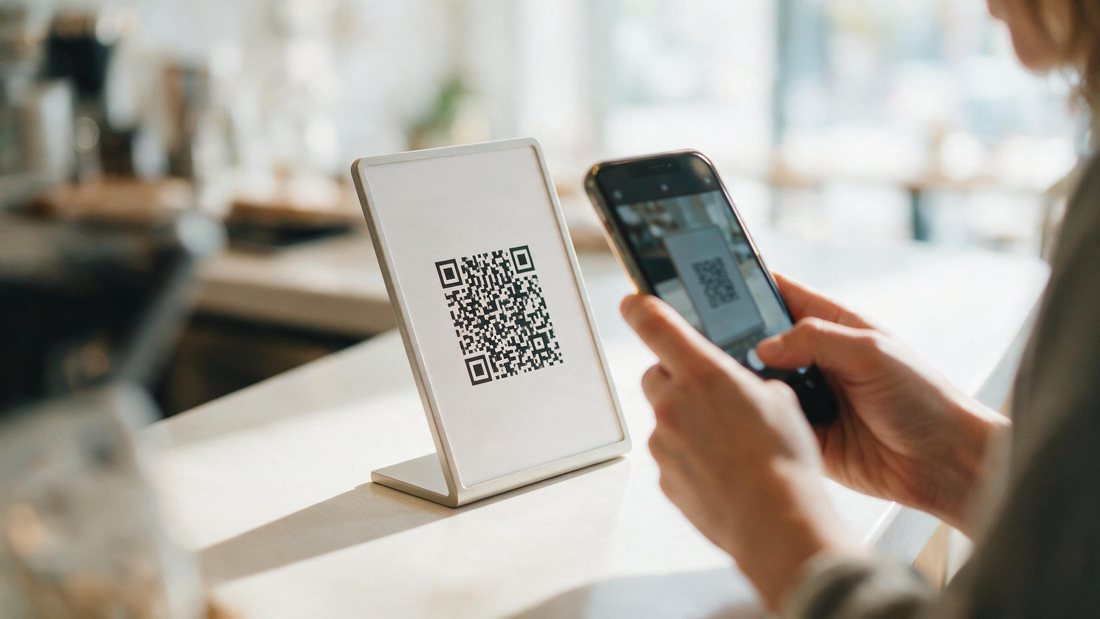
The flow decides everything
The scan is an impulse; the flow must not outlive it. Scan opens application - not homepage, not portal, not PDF. Two minutes on the phone standing up: availability knock-outs, a few scored questions, contact, submit, and ideally "pick an interview slot now" in the same session, per automated scheduling. That last step converts a warm moment into a calendar commitment before dinner erases it. Everything about application drop-off applies at double strength when the applicant is mid-errand.
Placement, tagging, tone
- The window sign - small, well-designed, honest: role, hours, pay range, code. A tatty handwritten notice screens out exactly the candidates you want.
- Transaction surfaces - receipts, cups, bags: private moments where a curious employee of a rival can scan unobserved.
- Moving surfaces - vehicles and uniforms reach beyond your walls; staff should opt in before wearing the ask.
- Tag every link - placement-level tracking turns folklore into a media plan within one quarter.
The takeaway
Feed campaigns find strangers; QR codes harvest the people your business already convinced. Print the signs, keep the flow to two minutes, book the interview in-session, tag the links - and let your premises, packaging and vans join the recruiting team unpaid.
Turn footfall into applicants.
Point your QR codes at a Qwiza application: two minutes, scored, interview booked in the same session - and every placement measurable. 48-hour pilot target.
See how Qwiza worksFrequently asked questions
Do QR hiring signs actually get scanned?
Yes - by exactly the right people. The scanner is someone physically present who likes the place enough to consider working there: a regular customer, a neighbour, a friend of staff. Volumes are modest next to feed campaigns, but conversion and retention run high because the self-selection is real. Treat it as a permanent, nearly free channel that compounds - not a campaign.
What should the QR code open?
The application itself, mobile-first, completable in about two minutes - availability, a few scored questions, contact details, done, ideally with an interview slot bookable on the spot. The classic failure is pointing the code at a homepage or portal login: each additional tap between scan and submitted application roughly halves completions. Scan to done, one screen flow, no documents.
Where beyond the window should codes live?
Anywhere your world touches people: till and tray liners, receipts, packaging and delivery bags, vehicle rears (captive traffic audiences), uniforms for staff happy to be asked, community noticeboards, event stalls. Give each surface its own tagged link so the receipt code and the van code report separately - within a quarter you will know which surfaces hire and which just decorate.